

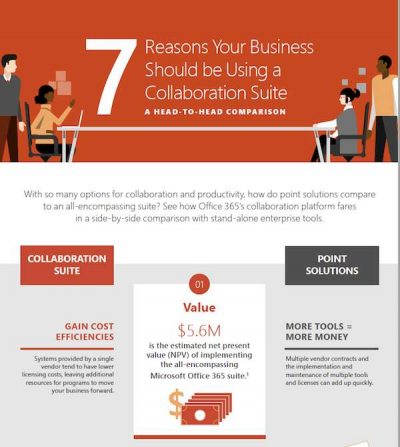
7 Reasons to Use a Collaboration Suite
How much can your business benefit from collaborating with Microsoft Office 365? In the infographic, 7 reasons to Use a Collaboration Suite, you'll see in numbers how unified collaboration tools can help save your teams hours of time every week, streamline communication and drive business results. Let Onsupport help you set up Microsoft Office 365 so you can start reaping the benefits of modern collaboration.

Azure Platform Designed to Disrupt
What does digital transformation look like? In this e-book, you'll learn from three experts how the cloud is catapulting computing from "do more faster" to "do what you never dreamt possible". Let Onsupport help transform your IT with Microsoft Azure cloud services, so you can transform your entire business.

The New Culture of Work: Don’t Get Left Behind
The modern workforce spans offices, cities, and even countries. Read the Forbes report, The New Culture of Work: Don't Get Left Behind, to learn how you can securely foster creativity and drive productivity. Then let Onsupport help you enable the next wave of collaboration with Microsoft Office 365.
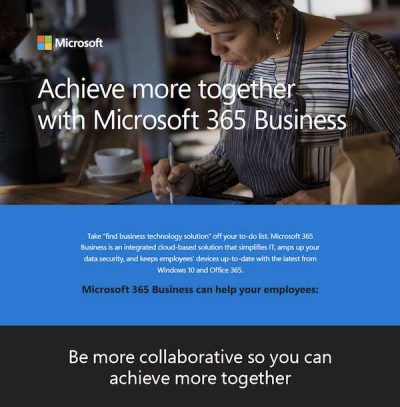
Achieve More Together With Microsoft 365 Business
Now you can simplify IT, boost security and keep your mobile workforce collaborating with the latest from Windows 10 and Office 365--all with Microsoft 365 Business. This infographic lays out the benefits in numbers. Let Onsupport help set up your growing workforce for success with Microsoft solutions.
How You Work Together Is How You Win Together
Team meetings can be the bane of your team's existence or an anticipated opportunity to get work done. Often, the teams with the right tools get more out of them. At Onsupport, we want you to have the tools you need to maximize teamwork, so you can look forward to team meetings again. With Office 365, you can connect your teams with Microsoft Teams where chat, content, people, and tools live together, so your teams have instant access to everything they need. Onsupport wants to help your team collaborate. Contact us to learn more and check out this article on ways to improve teamwork for some useful tips.

Family food business spices up operations, reduces new device implementation time by 50 percent
With millions of sales worldwide, Garner Foods has embraced Office 365 as a collaboration platform--and more. At Onsupport, we know your business can benefit from the suite of tools in Office 365, and we want to help you use them. With business-class email through a rich and familiar Outlook experience, you can access email from your desktop or from a web browser. Office 365 gives you a 50 GB mailbox per user and allows you to send attachments up to 150 MB. Onsupport is here to help you integrate Office 365 into your business. Contact us for more and see how Garner Foods makes the most of their tech.

How The Compliance Function Is Evolving In 2018 — Five Key Findings
The security and compliance landscape is ever changing. Therefore, it is more important than ever to ensure your organization is protected against the threats of today and prepared to handle the challenges of tomorrow. With the cohesive structure of Microsoft 365, you can rest easy knowing that you have the right tools in place across your organization to adapt quickly to industry shifts. It's never too early to start looking ahead. Contact us to learn more about increasing the efficiency and effectiveness of your security and compliance functions.

Customer Story: Marshall Public Schools
When implementing technology in schools, there is always a push and pull between security and freedom. Too much security and the technology will lose its usefulness to students and teachers. On the other hand, allowing students to access and download anything they want can pose significant security risks. Using Windows 10 in S Mode, Marshall School District is able to strike the ideal balance between fostering creativity and collaboration in their students while ensuring each device is always kept secure. Students can graduate with a skillset that will allow them to excel in college and beyond.

10 Things To Consider When It Comes To Disaster Recovery
It's easy to forget that the status quo will invariably be interrupted by something at some point in time. Don't be caught off guard. Prepare your IT for when disaster strikes with Microsoft Azure. You can use Azure Backup to restore your data in the Microsoft cloud. It replaces your existing on-premises or off-site backup solution with a cloud-based solution that is reliable, secure, and cost-competitive. With Onsupport and Microsoft, your IT team has the resources they need to prepare for the worst-case scenario. Contact us today to find out more.